# Introduction

This API provides an entity to add custom fields with their attribute keys and value. Adding custom fields gives flexibility to the entity to store extra information related to an order or a patient.

**Here is the Postman Collection of APIs**

{% file src="/files/UICInivQuOeXqYyJc1nu" %}

## Sequence Diagram

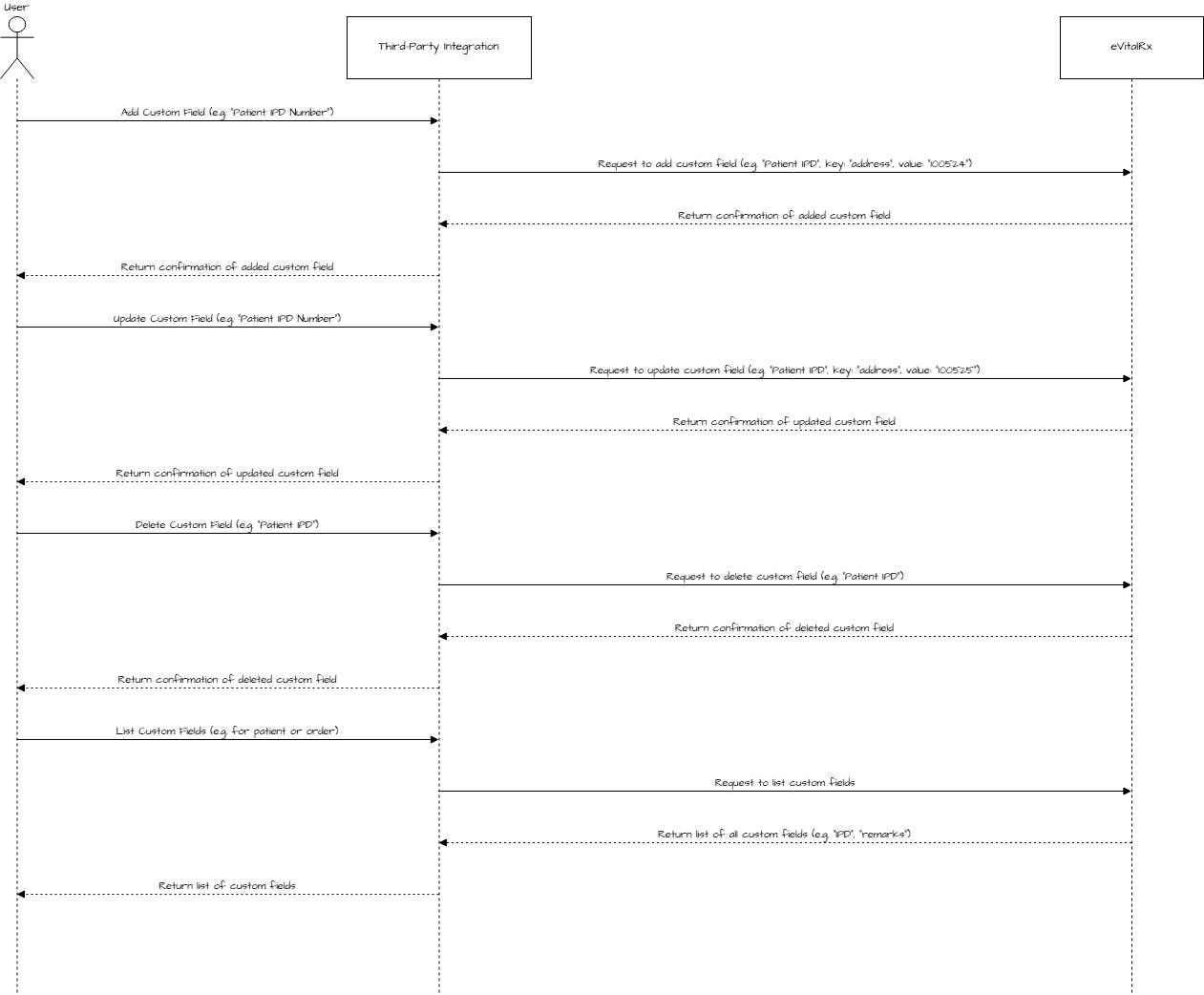
<figure><img src="/files/H1X5jvDfnMSnrkho256P" alt=""><figcaption><p><mark style="background-color:yellow;"><strong><code>This sequence diagram illustrates how the Third Party interacts with eVitalRx for managing custom fields. It covers the operations of adding, updating, deleting, and listing custom fields for entities like orders or patients. The flow shows how the third party sends requests to eVitalRx, and eVitalRx responds with confirmation of actions performed.</code></strong></mark></p></figcaption></figure>

**Watch a video.**

{% embed url="<https://www.loom.com/share/55a5a0c5dfe8423ab55bf4e8344c39f0>" %}


---

# Agent Instructions: Querying This Documentation

If you need additional information that is not directly available in this page, you can query the documentation dynamically by asking a question.

Perform an HTTP GET request on the current page URL with the `ask` query parameter:

```
GET https://docs.evitalrx.in/api-for-custom-fields/introduction.md?ask=<question>
```

The question should be specific, self-contained, and written in natural language.
The response will contain a direct answer to the question and relevant excerpts and sources from the documentation.

Use this mechanism when the answer is not explicitly present in the current page, you need clarification or additional context, or you want to retrieve related documentation sections.
